by tradespeopleinsights | Dec 14, 2010 | Marketing Tips, Social Marketing
I hate to exercise, and mentally every morning, I use every excuse not to get out of bed. They’re all lame excuses, but that doesn’t stop my brain from trying to convince my body to stay put.
Social media for some, even though they may not hate it (some don’t really know what it is and how it can help them), is one of those things that you keep making excuses why you’re not jumping on board.
I recently read a post by Jay Baer, Destroying the Myths of B2B Social Media that I suggest you read and pass it onto your associates who are always making excuses. He dispels all the excuses. Here are some of the myths he responds to:
- My customers don’t use social media.
- Social media isn’t worth the trouble.
- If nobody is tweeting about my company, I don’t need social media.
Hopefully some of the naysayers will change their minds after reading this.
Share with someone who is always making excuses. It’s time to get on the bus!

by tradespeopleinsights | Dec 7, 2010 | Marketing Tips, Social Marketing
I know it’s hard to believe, but not everyone has bought into the social media scene. Some are just disbelievers (we can’t worry about them), while others are intimidated by it. Well, if you’re one of those people who are apprehensive, or you know someone who is, please pass this post on to them.
I don’t normally do book reviews, but I came across an easy read that will take the stress out of getting started. The name of the book is, “the zen of social media marketing” by Shama Hyder Kabani of the Zen Marketing agency.
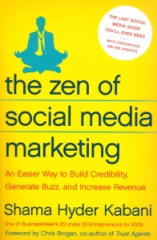 She gives you an overview and basic steps to get set up on Facebook, Twitter and LinkedIn. She helps you understand where social media fits into the bigger picture and how to use these together to maximize your efforts. What’s neat about this is there is an online version of the book that has continous updates which are really helpful. So in essence, the book never goes out of date.
If you’re in marketing, whether it be for a small local company or a large international one, this book will make you look like a hero (only in social media). You can get it on Amazon. I read it in one night and it would make a great gift for someone.
by tradespeopleinsights | Nov 24, 2010 | Marketing Tips, Marketing Trends, Traditional Marketing
Yesterday, Aylie Fifer from Sonnhalter gave us an overview of what QR codes were and how they can be used. Today she’ll talk about the differences between Microsoft tags and Traditional QR codes.
If you want to see how it works, print out this page, download the app and scan the tag with your phone to see where it takes you. Or, if you already are familiar with this, scan the tag off the computer screen.
 In our last post, we explained what QR codes are. Today, we want to tell you about the proprietary Microsoft Tags and what advantages they have over the traditional QR codes.
Microsoft Tags:
A Microsoft Tag IS a QR code – QR code means “Quick response code” and is a 2-dimensional, scan-able code. By definition, a Tag is a QR code.
The MT is a “High Capacity Color Barcode.” What this really means is more information can be packed into the code and can be used in color or black and white. This is what allows users to create an image over the code if wanted.
QR Codes vs. Microsoft Tags:
QR Readers:
You need to download a QR Code reader app to your phone in order to enable this to work and not a lot of people know about it, know how to do it, or want to spend the money on the app. Here are some recommended ones. Please note that not all QR readers will read all QR codes. For instance, Microsoft Tags have a special reader called “Tag Reader” that does not work on generic QR codes or vice-versa.
A lot of the phones that are currently being manufactured are being built with a reader built in. We are going to see this surge over the next 6 months – 1 year, I would guess, but it really is quite simple to download an app. We also will see the acceptable platforms expand. As I mentioned, this is already a huge phenomenon in Japan and is a more developed market for use of QR codes meaning people are more accustomed to seeing and using QR codes over there versus the U.S which is a less mature market at this point in comparison.
Metrics:
The other major difference with most QR codes and Microsoft Tags is the metrics. With most QR codes, you can track traffic by using Google Analytics to track the codes with unique URLs for each Tag. However, Microsoft Tag Manager actually will track the scans of each code. This way, we have one more level of information. With just Google Analytics, we only see how many people went through to the URL. With the added layer of information, we can see if someone scanned and stopped mid-process or had another issue.
Microsoft Tags actually have a lot of reporting available in the free version too. Here is a list of the reports available with the MS Tag Manager:
- Heat Map
- Represents where Tags were scanned on an interactive map
- Daily Scans
- Charts the number of scans per day for a single Tag
- Scan Totals
- Charts the total number of scans for each Tag in a category (over the lifetime of a tag)
- Scan Totals by Category
- Charts the total number of scans for each of your categories
- Daily Scans (Multiple Tags)
- Charts the number of scans per day for multiple selected tags in a category
- Daily Scans (Category Totals)
- Charts the total scans per day for all tags in a category
- Daily Scans (Compare Categories)
- Compares the total number of daily scans for different categories
In addition to all the reporting, it also provides the option to set a date limit for the Tags. And, of course, you can change the URL on the fly, an attribute which we find especially helpful.
Even though the Microsoft Tag has only been out for a year, I think it is going to rise to the top not only because of its innate high-capacity to hold information (it was developed to be more robust), but also the added tracking and reporting features and the fact that you can also brand each Tag by overlaying a picture or a logo over the Tag and it will still be readable. I think that once the market gets used to using QR codes in general, this feature will become more appealing to users and publishers/marketers, so I think it is a better long-term option. And because it can hold more information, the Microsoft Tags can be printed much smaller than most QR codes. There are micro QR codes, but a micro QR code only lets you hold 35 characters of data – which really doesn’t allow you to do a whole lot.
The other nice thing is that it has a high tolerance for reading damaged tags. For a lot of the QR codes, if the code is damaged in any way, the phone camera cannot translate the code. When developing the Tags, Microsoft took into consideration the low-quality of most cell phone cameras (blurred shot, lack of autofocus) and adjusted the tolerance for a bad photo or camera so you don’t need an exact scan or a perfect picture like most QR Code scans require.
As far as the readers go – that is my other concern. Not all QR readers work on all QR codes. Most QR generation sites provide you with a listing of acceptable phone platforms. Some of the major ones, in defense of the QR readers, do support the more popular phones like iPhone and Android, and Blackberry. Microsoft Tag Reader supports all the major phone platforms and is rapidly adding new platforms. It is a free download for the Tag Reader versus some of the better QR code readers you have to pay for (usually $1.99 or less, but still…).
While there have been a lot of companies using QR codes, I would argue that there are the same amount using Microsoft Tags. Fox for instance, used them to promote Avatar. Publications like Food & Wine, Details, Conde Nast Traveler, Entertainment Weekly, Glamour, Golf Digest, Ladies Home Journal, Lucky Magazine, Self, Seventeen, Traditional Home, and TV Guide have used tags. As well as some big companies and brands such as Campbell’s, Dominos, Dr Pepper, Ford, General Mills, Goodyear, Kraft, Mazda, Mountain Dew, Procter & Gamble, Porsche, Sprint, Toyota and Whole Foods.
At the end of the day, each have their own merits, but at this point in time, to me the better long-term choice seems to be Microsoft Tag because of its innate capabilities. No QR code (as of this moment, I know there are some sites in the works) can offer as much as the Tag can.
If you missed Part 1, click here to view.
by tradespeopleinsights | Nov 23, 2010 | Marketing Tips, Marketing Trends, Traditional Marketing
B-to-B Marketers need to take advantage of every marketing tool, especially if your target market is the professional tradesman. Most of these folks are on the move and depend on their cell phone, not only to stay in touch, but to get valuable info that will help them do their job. One tool for mobile smart phones that probably is overlooked is the QR code.
More and more these days, we are seeing the use of QR codes in the consumer market. But QR codes are fairly new to arrive in the business-to-business sector. Since we see these as a great way to build a bridge between print and online presence, we thought we would take the guesswork out of these strange little codes.
Today Aylie Fifer, Relationship Architect at Sonnhalter will hopefully take some of the mystery out of this potential marketing tool with this 2-part guest post:
What are QR codes?
A QR Code is a matrix code (or two-dimensional bar code) created by Japanese corporation Denso-Wave in 1994. The “QR” is derived from “Quick Response,” as the creator intended the code to allow its contents to be decoded at high speed.
This 2D bar code that stores URL information (or other information) so that when scanned with a smart phone reader (using the mobile’s camera), it directs you to a specific URL (or other location such as a video, a v-card, etc.)
These are very, very popular in Japan and are starting to catch on it the U.S., but mostly in the CPG market right now – we are starting to see it enter into the business-to-business world.
Here is a site to show you how QR codes work (you have to have a phone that has a QR reader on it or download an app):
http://www.google.com/help/maps/favoriteplaces/business/barcode.html
The creation of QR codes:
Usually synonymous with mass production, the quick response (QR) bar code was originally created by Japanese company Denso-Wave to keep inventory. However, because QR codes allow for more data than the standard 10-digit bar code, and because scanning requires less effort than typing a URL, the QR code has taken a turn for the personal. Denso has the patent to the QR code but as of yet, has not chosen to enforce it.
Denso-Wave website: http://www.denso-wave.com/qrcode/index-e.html
From Bar Code to QR Code – from the website http://www.denso-wave.com/qrcode/aboutqr-e.html
Bar codes have become widely popular because of their reading speed, accuracy, and superior functionality characteristics. As bar codes become popular and their convenience universally recognized, the market began to call for codes capable of storing more information, more character types, and that could be printed in a smaller space.
As a result, various efforts were made to increase the amount of information stored by bar codes, such as increasing the number of bar code digits or laying out multiple bar codes.
However, these improvements also caused problems such as enlarging the bar code area, complicating reading operations, and increasing printing cost.
2D Code emerged in response to these needs and problems:

2D Code is also progressing from the stacked bar code method (that stacks bar codes), to the increased information density matrix method.
About QR codes:
QR Code is a kind of 2-D (two-dimensional) symbology developed by Denso Wave (a division of Dens Corporation at the time) and released in 1994 with the primary aim of being a symbol that is easily interpreted by scanner equipment.

QR Code (2D Code) contains information in both the vertical and horizontal directions, whereas a bar code contains data in one direction only. QR Code holds a considerably greater volume of information than a bar code. Thus allowing for more sophisticated information to be encoded than just numbers such as a web link or a vcard.
Tomorrow we will talk about the difference between Microsoft tags and traditional QR codes.
While there are many different variations of QR codes such as Microsoft tags or Shotcodes, the premise is the same – a quick-reading code that takes you to more information. In our next post, we will discuss what Microsoft tags are and how they compare to traditional QR codes.
by tradespeopleinsights | Nov 10, 2010 | Marketing Tips, Social Marketing, Traditional Marketing
When was the last time you and your IT department willingly collaborated on a project? The truth is, probably never.
The reality is in today’s environment, the customer is taking control of the engagement, and marketing’s challenge is how to get to the customer faster and more efficiently (customer-centric). Customers are turning away from companies who can’t provide the experience, channel of engagement and immediate service they need.
The CMO Council recently did a study sponsored by Accenture called Driving Revenue Through Customer Relevance, that outlines ways CMOs and CIOs can achieve Agile Intelligent Marketing together.
Now marketers may not be known to be the sharpest pencil in the box, but we do have a good sense of what the customer’s needs are (and all needs are not the same), while IT is usually all B/W.
According to the report,”CMOs must take a greater ownership of the customer experience and assume a leadership role in embracing digital marketing practices, data-driven strategies and new marketing process integration platforms across their organizations.” Technology now underpins and shapes the entire customer experience. IT departments need to take strides to be a stategic enabler rather than an operational cog.
The reality is working with or without IT, marketers are doing tactical things with e-mails,website analytics, lead generation, etc. with the ever-increasing pressure of ROI on marketing dollars no matter where they are spent. Beyond the spend, you need to look at what’s really the end game? It’s to get a new customer or make an existing one happy.
The moral of the story is for Marketing and IT to play nice. Remember, your pay checks come from the same account and together you can make a better impact for the company.
by tradespeopleinsights | Nov 4, 2010 | Marketing Tips, Social Marketing, Uncategorized
Social media is about engaging with other people. In order for it to be successful, we need to move that engagement beyond the posts of Facebook or your blog. Yes, it’s understood that there are people behind the words, but unless you just want to be pen pals, you need to nurture them.
Once someone knows, likes and trusts you, you can go from engagement to a relationship. I know it may sound silly, but you’d be surprised how many social media folks would be happy to sit in front of a computer screen all day and engage people on social but are afraid to take it to the next level. A relationship by definition is an emotional or other connection between people.
Here are some suggestions to help you take that relationship to the next level (I sound like a dating coach):
- If someone responds to you and you start going back and forth with them, suggest an offline phone call to discuss in more detail.
- If you belong to a group or association and you plan on going to a trade show or a local meeting, let your audience know your plans, and maybe you could hook up. (People buy from people.)
- Social Sites – instead of using your logo, put up a team photo. On the about us pages, include the names of employees representing your brand. Put up profiles of team members.
- Encourage networking – if you have all this info about employees on your sites, then suggest that they promote the brand on their Twitter, Facebook and LinkedIn accounts.
These are some of my ideas. I’d like to hear what you’re doing to make it more “human.”



